

The Enterprise Cloud Platform, Fully Managed
Everything your team needs to run production workloads — without managing the infrastructure underneath.
Compute
Launch, scale, and manage virtual machines through an intuitive dashboard or standard OpenStack APIs.
- Guided Deploy Wizard — Select OS image, instance size, network, firewall rules, SSH keys, and boot volume in a single flow with quota validation
- Full Lifecycle Management — Start, stop, reboot, resize, snapshot, rebuild, shelve, and rescue without filing a ticket
- Live Resource Hotplug — Attach and detach volumes and network interfaces on running servers with zero downtime
- Remote Console — Browser-based noVNC console with fullscreen, plus downloadable console logs
- Server Groups — Affinity and anti-affinity placement policies for high availability
- Bulk Operations — Multi-select servers for batch actions with a single confirmation
Storage
Persistent block storage and S3-compatible object storage, managed and backed up by our operations team.
Block Storage
- Volumes — Create, attach, extend, snapshot, and clone persistent block volumes
- Snapshots — Point-in-time backups with restore and clone capabilities
- Quota Tracking — Monitor volume count, snapshot count, and storage capacity
Object Storage (S3)
- Native S3 API — Works with any S3-compatible tool, SDK, or CLI
- Versioning & Lifecycle — Object versioning, expiration policies, and tiering
- Compliance — Object lock (WORM), retention periods, and legal hold
- Secure Sharing — Presigned URLs for time-limited downloads
Networking & Security
Enterprise-grade virtual networking with firewall intelligence features you will not find on commodity cloud platforms.
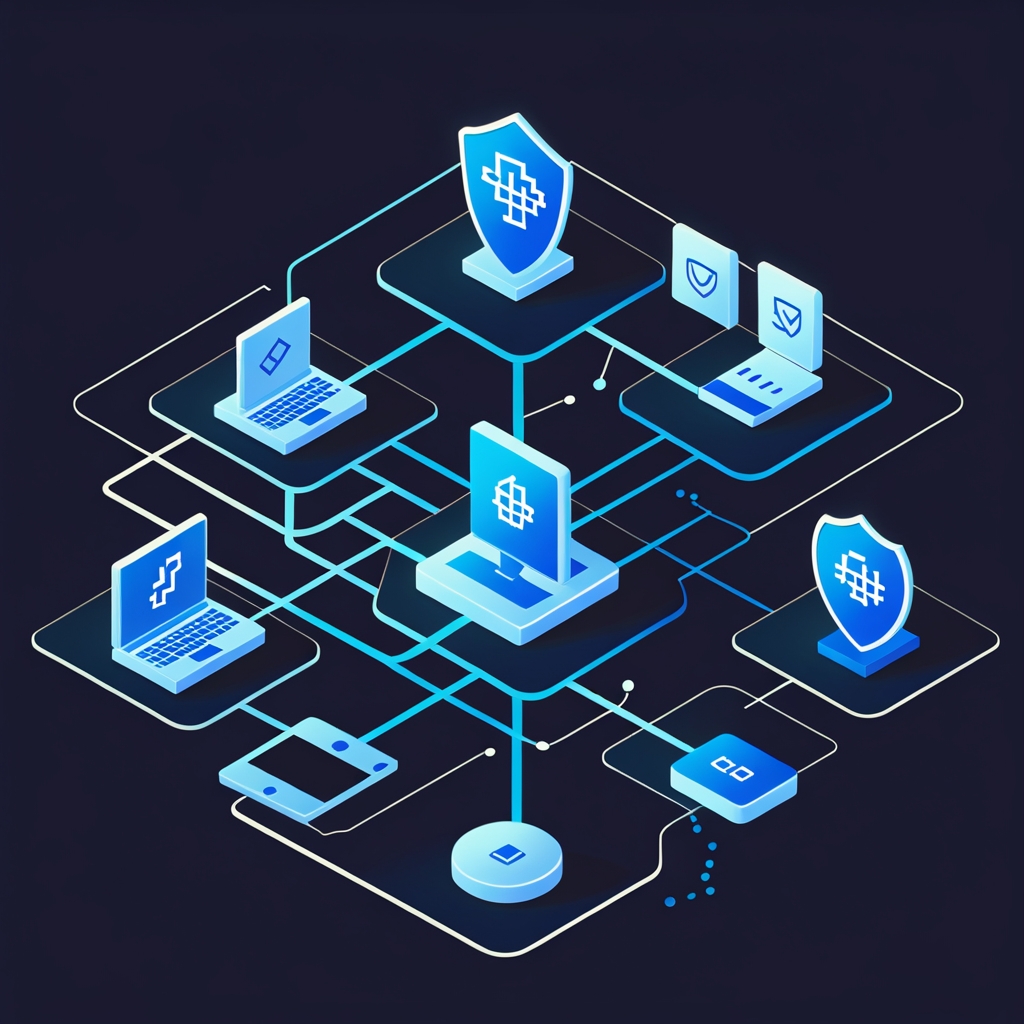
- Isolated Networks — Tenant-isolated virtual networks with DHCP, DNS, and IPv4/IPv6 dual-stack
- Routers & Floating IPs — External gateways with SNAT and public IP association
- Load Balancers — Layer 4/7 with health monitoring, session persistence, and real-time statistics
- Visual Topology — Interactive graph of your full network architecture
Firewall Intelligence
This is where Open Edge stands apart. Our security group management goes beyond basic allow/deny rules.
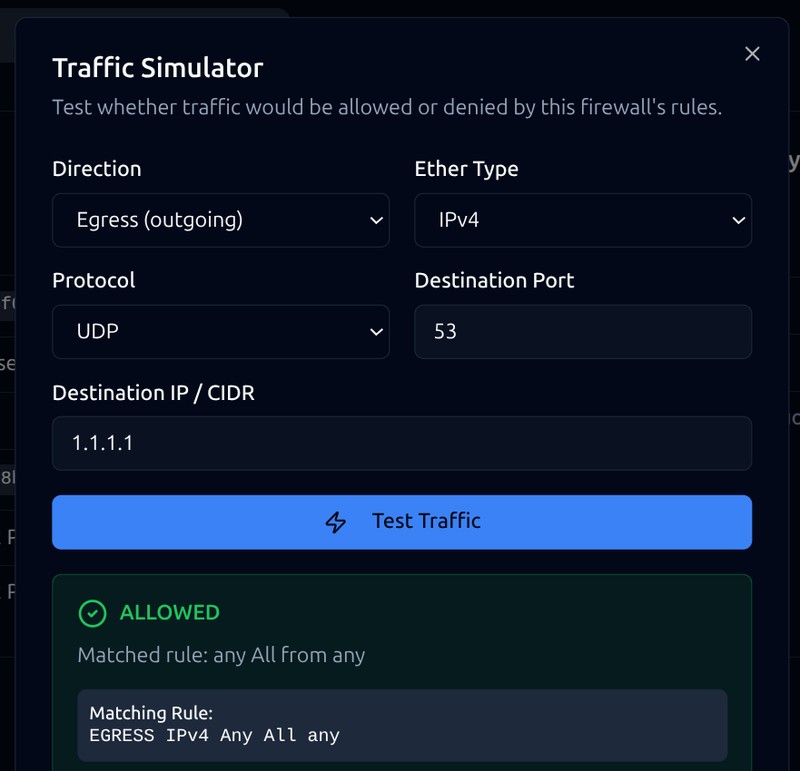
Traffic Simulator
Test whether a packet would be allowed or denied before deploying a rule change. See the exact matching rule.
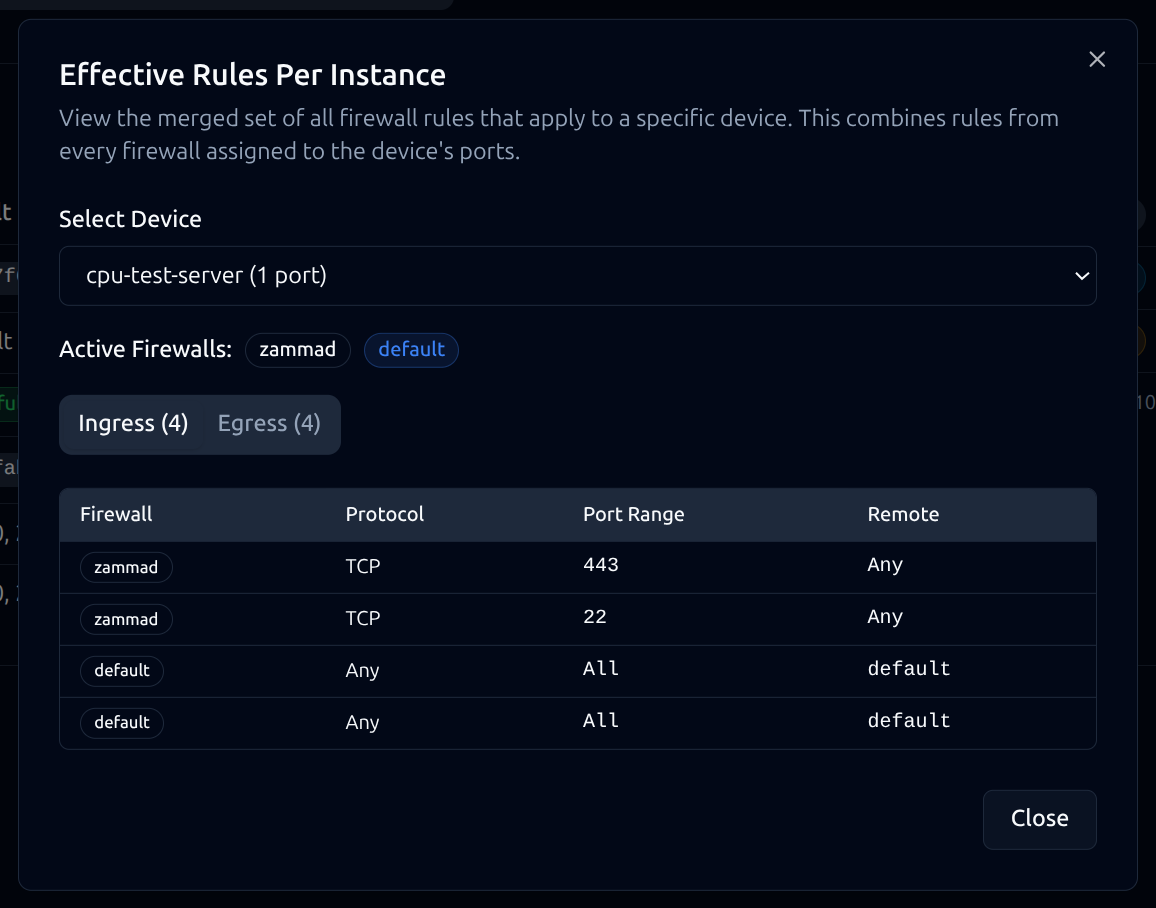
Effective Rules View
When multiple security groups are attached, see a merged view of all active rules across all groups.
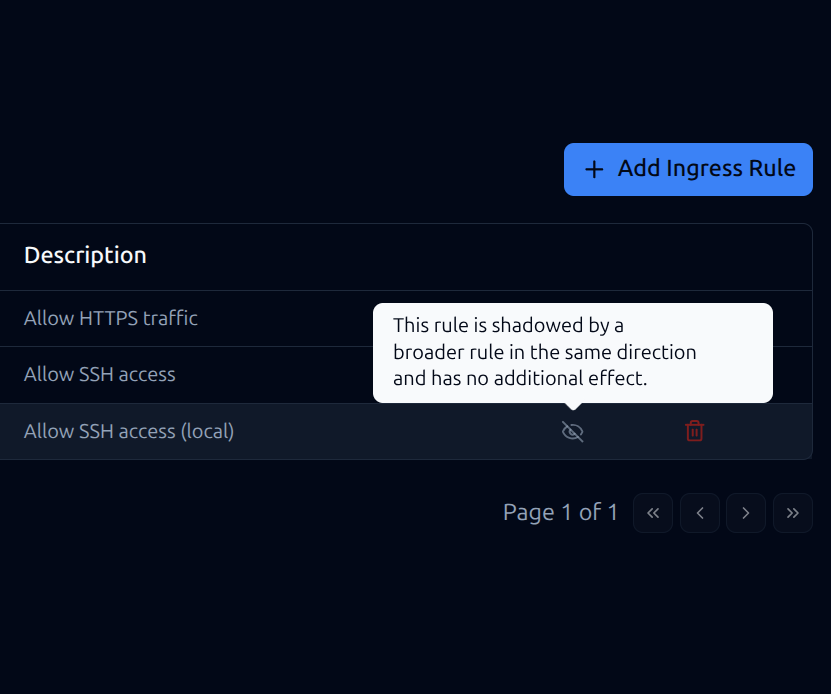
Shadowed Rule Detection
Automatically identify rules masked by broader rules. Clean up policy bloat and maintain efficient configurations.
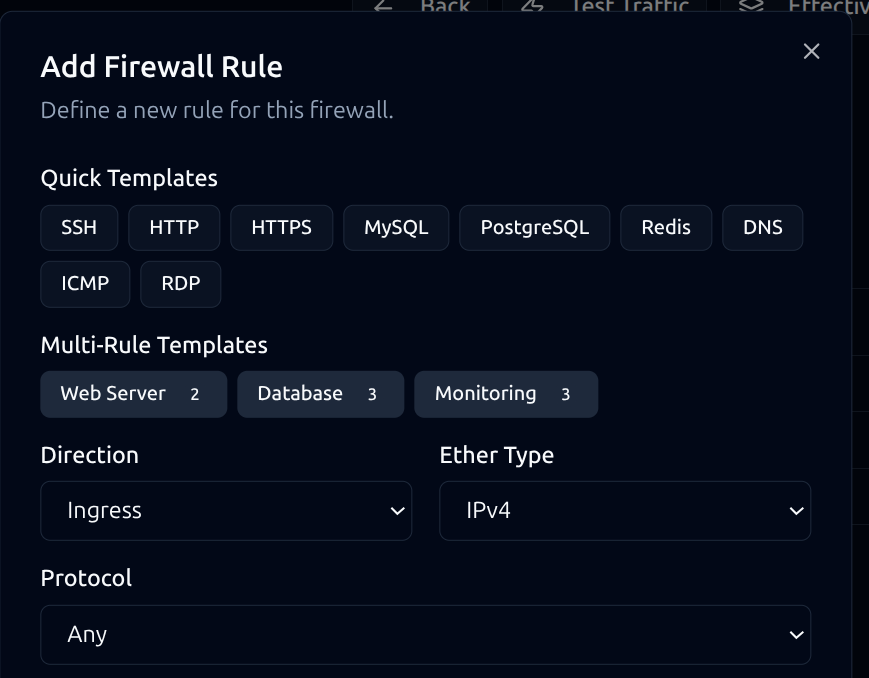
Quick-Apply Templates
Deploy standard rulesets — web server, database, monitoring — with one click.
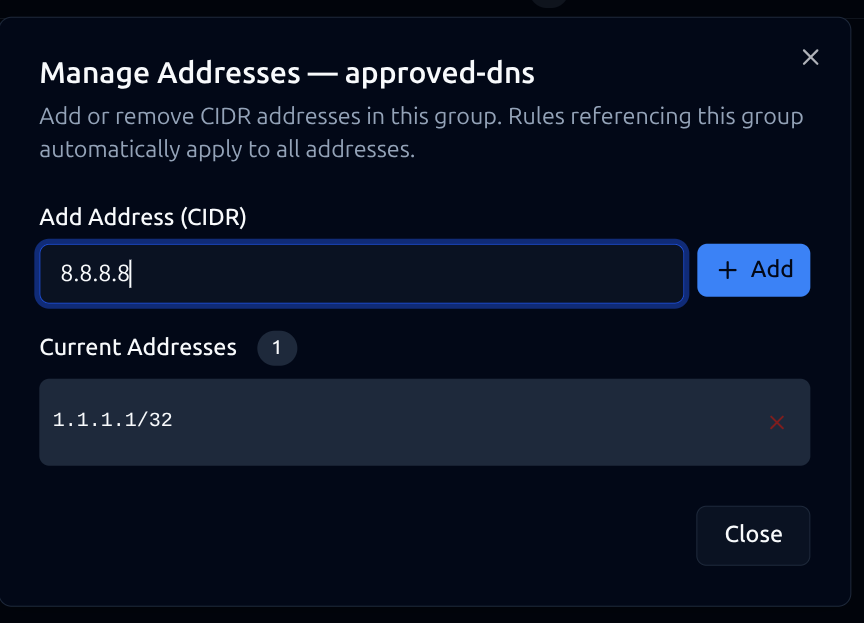
Address Groups
Define reusable IP sets referenced across multiple rules. Update once, apply everywhere.
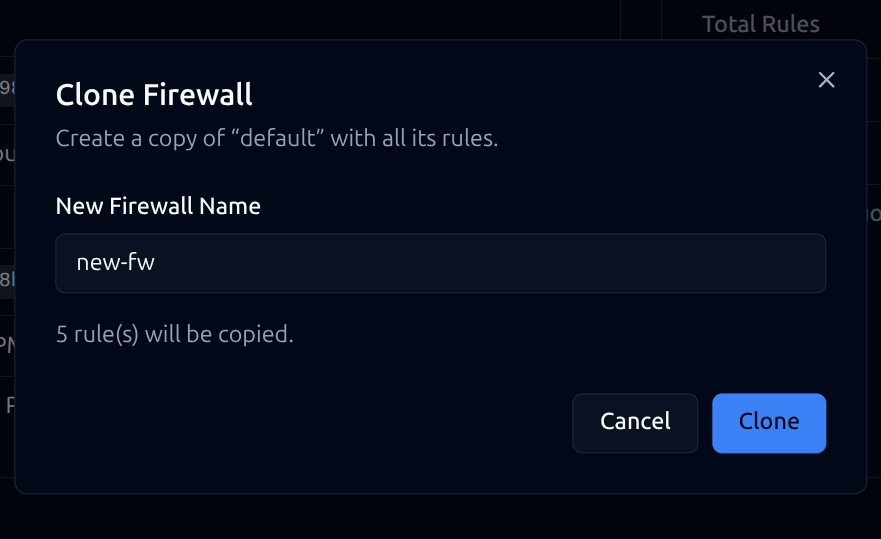
Clone & Export
Duplicate firewall configurations instantly. Export rules as portable JSON for version control.
Ready to see how Open Edge fits your infrastructure needs?
Security & Identity
Secrets management and enterprise SSO with role-based access control — all backed by FIPS 140-3 validated cryptography.
Secrets Management
- AES-256 Encryption — All secrets encrypted at rest with a platform-managed key using FIPS 140-3 validated modules
- Server-Side Key Generation — Cryptographic keys generated on infrastructure, never exposed client-side
- Multiple Types — Opaque data, symmetric keys, asymmetric key pairs, certificates, and passphrases
- Containers — Group related secrets with named roles (e.g., TLS cert + private key + CA chain)
- Expiration & Rotation — Set expiration dates for automated rotation scheduling
Identity & Access
- SSO Federation — SAML 2.0, OIDC, and LDAP/AD integration with your existing identity provider
- Multi-Factor Authentication — Enforce TOTP or WebAuthn via organization policy
- Six RBAC Roles — Org Admin, Project Admin, Member, Reader, Security, and Auditor
- User Management — Email-based invitations, session management, and API credential provisioning
- Multi-Organization — Users can belong to multiple customer organizations
Management & Operations
Orchestration, monitoring, cost visibility, and managed applications — all in one platform.
Orchestration
Define infrastructure as code with Heat templates. Create stacks, validate templates, and track resources and events.
Alerts & Monitoring
Threshold-based alerts on CPU, memory, disk, and network. Custom rules with severity levels and lifecycle management.
Usage & Billing
Cost breakdown by resource type and project. Contract utilization tracking, invoice management, and CSV export for chargeback.
Managed Applications
We deploy and operate applications on your behalf — updates, backups, scaling, and zero-downtime patching included.
See how we compare to the hyperscalers.
Built on Open Standards
Open Edge runs on OpenStack 2025.2 — the most widely deployed open-source cloud platform in production. Standard APIs, full CLI and Terraform support, and zero vendor lock-in.